Emergency Communication Plan: How to Reach Family With No Cell Service
This article is for general preparedness education. It is not professional medical, legal, or safety advice. Verify critical information with authoritative sources.
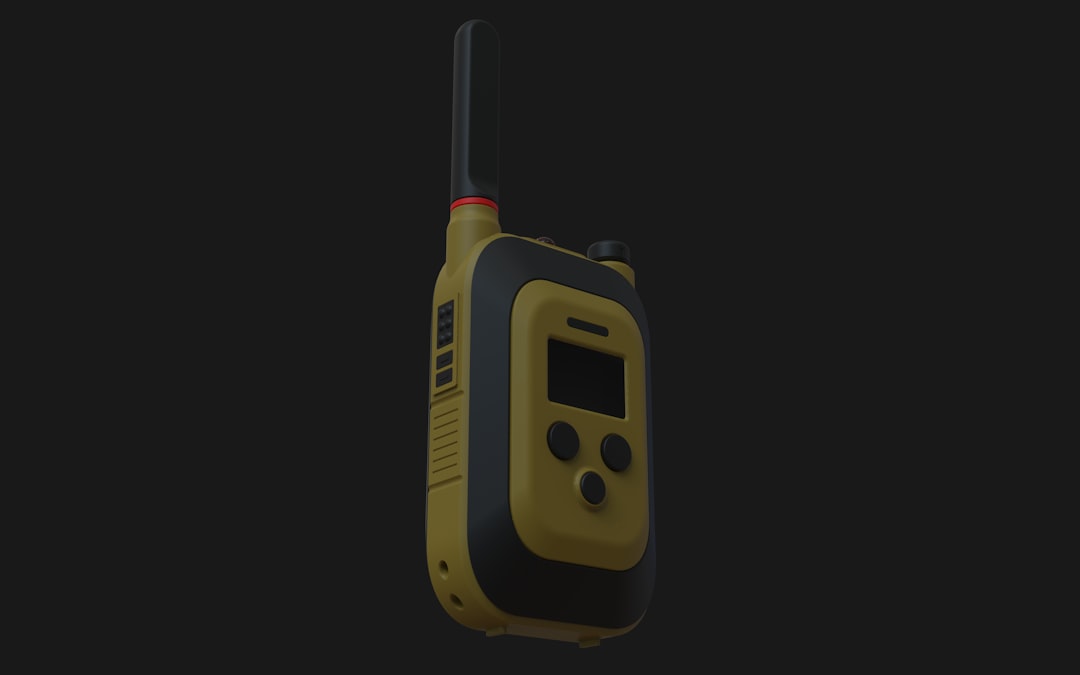
Cell towers went down across most of southeast Texas during Hurricane Beryl in 2024. Millions of people had no way to call, text, or check on family members for days. The same pattern repeats after every major disaster: the first infrastructure to overload or fail is the communication grid. If your emergency plan depends on smartphones, you do not have an emergency plan.
This guide walks through how to build a communication system that works when the cell network does not. It covers radio options, physical meeting protocols, low-tech backups, and the specific steps to get your family on the same page before a crisis hits.
Why Cell Networks Fail in Emergencies
Understanding why phones stop working helps you plan around the problem.
Cell towers have three common failure modes during disasters:
- Physical damage. Towers are knocked down by high winds, flooding, or debris. After Hurricane Maria in 2017, 95.6% of Puerto Rico's cell sites were out of service.
- Power loss. Most cell towers have 8-12 hours of battery backup. Once grid power is gone and generators run dry, towers go silent.
- Congestion. Even if towers survive, a sudden spike in usage (everyone calling at once) overwhelms capacity. The FCC documented this after the 2011 Virginia earthquake, when call completion rates dropped below 20% in the DC metro area.
The bottom line: cell service is a convenience, not a guarantee. Any serious emergency communication plan needs alternatives that do not depend on cellular infrastructure.
Step 1: Establish Meeting Points and a Contact Protocol
Before you buy any equipment, handle the basics. These cost nothing and solve 80% of the communication problem.
Designate Two Physical Meeting Points
- Primary (near home): A specific spot everyone can walk to within minutes. A neighbor's front porch, a particular intersection, the mailbox cluster at the end of your street. Be precise.
- Secondary (away from home): A location 5-15 miles away that your family could reach if the neighborhood is not safe. A relative's house, a library, a church. Choose something that is easy to identify and unlikely to be destroyed in the same event that hit your home.
FEMA recommends both an in-neighborhood and out-of-neighborhood meeting point as part of any family emergency plan. Write these locations down. Do not assume everyone will remember.
Assign an Out-of-Area Contact
Pick one person who lives far enough away that they are unlikely to be affected by the same disaster. This person becomes the information relay point: every family member checks in with them, and they piece together who is safe and where.
After Hurricane Katrina, long-distance calls often connected even when local calls could not, because the congestion was regional. An out-of-area contact exploits this asymmetry.
Create Physical Contact Cards
Print a card for each family member with:
- Names and phone numbers of all household members
- Out-of-area contact name and number
- Both meeting point addresses
- Any medical information (allergies, medications, conditions)
- Insurance policy numbers
Laminate them. Put one in each wallet, backpack, glove compartment, and go-bag. The FCC and FEMA jointly recommend keeping this information in physical form, not just on a phone that might be dead or damaged.
Step 2: Choose Your Radio Communication Layer
Radios are the backbone of grid-down communication. There are five main options for civilians, and they serve different purposes. Here is an honest breakdown.
FRS (Family Radio Service)
- Range: 0.5-2 miles (realistically)
- License: None required
- Cost: $30-100 for a pair
- Best for: Communicating within a neighborhood or campsite
FRS radios are the "walkie-talkies" you can buy at any outdoor store. They are dead simple to operate: turn on, pick a channel, talk. The limitation is range. Manufacturers claim 20-35 miles on the packaging. This is tested under perfect conditions on flat terrain with no obstructions. In a suburban neighborhood with houses and trees, expect 1-2 miles at best.
Verdict: Good entry point. Every household should have a pair. But they will not reach across town.
GMRS (General Mobile Radio Service)
- Range: 2-5 miles (handheld), 15-30+ miles (with repeaters)
- License: $35 FCC fee, no exam, covers your entire family
- Cost: $85-250 per radio
- Best for: Family and small-group communication across a town or county
GMRS is the step up from FRS. Higher power output means better range, and GMRS users can access repeaters -- relay stations that receive your signal and rebroadcast it at higher power. Many communities have GMRS repeaters that dramatically extend your range.
The license is straightforward: fill out an FCC form, pay $35, and your entire immediate family is covered for 10 years. No test, no technical knowledge required.
Verdict: The sweet spot for most families. Reliable, affordable, and the license barrier is trivial.
CB Radio (Citizens Band)
- Range: 3-10 miles (depending on terrain and antenna)
- License: None required
- Cost: $40-150
- Best for: Vehicle-to-vehicle communication, monitoring trucker channels for road conditions
CB radio is the old-school option. No license needed, and mobile units (designed for vehicles) are cheap and durable. Channel 9 is the universal emergency channel, and channel 19 is commonly monitored by truckers, which can be a useful intelligence source during evacuations.
Verdict: Good for vehicles and monitoring. Less practical for family coordination on foot.
Ham Radio (Amateur Radio)
- Range: 5-50+ miles (handheld VHF/UHF), essentially unlimited (HF bands)
- License: FCC exam required (Technician, General, or Extra class)
- Cost: $45-1,000+
- Best for: Long-range communication, emergency networks, accessing organized disaster response channels
Ham radio is the gold standard for emergency communication, and it is not as inaccessible as most people think. The entry-level Technician license requires passing a 35-question multiple-choice exam. Study materials are free online, and most people pass after 10-15 hours of study.
What makes ham radio uniquely valuable:
- ARES/RACES networks: The Amateur Radio Emergency Service and Radio Amateur Civil Emergency Service are organized volunteer networks that activate during disasters. They coordinate with FEMA, the Red Cross, and local emergency management.
- HF capability: With a General-class license and an HF radio, you can communicate across states or even continents. This is the only civilian option for truly long-range communication without infrastructure.
- Winlink: Ham operators can send and receive email over radio frequencies, completely independent of the internet.
Verdict: The most capable option by far. If anyone in your household is willing to invest 15 hours in studying for the Technician exam, this is worth it.
Satellite Communicators
- Range: Global
- License: None (subscription required)
- Cost: $200-500 for the device, $15-65/month for service
- Best for: Backcountry use, sending SOS signals, check-in messages from remote areas
Devices like the Garmin inReach and ZOLEO connect to satellite networks instead of cell towers. They can send short text messages and GPS coordinates from anywhere on Earth. The catch is the monthly subscription fee and the fact that messages are limited in length and frequency.
Verdict: Excellent for hikers, rural homeowners, and anyone in areas with poor cell coverage. Not a primary family communication tool, but a strong backup layer.
Step 3: Set Up a Communication Schedule
Having radios is not enough. You need a protocol so people know when and where to listen.
Establish Check-In Windows
Agree on specific times when all family members will turn on their radios and listen. For example:
- Primary check-in: 7:00 AM and 7:00 PM daily
- Secondary check-in: 12:00 PM (noon)
- Emergency broadcast: Top of every hour for the first 5 minutes
If someone misses a check-in, the protocol should define what happens next: wait for the next window, proceed to a meeting point, or send a runner to check on them.
Agree on Channels and Frequencies
Before an emergency, everyone in the family needs to know:
- Primary radio channel or frequency
- Backup channel (in case the primary is congested or has interference)
- The NOAA Weather Radio frequency for your area (162.400-162.550 MHz)
- Local GMRS repeater frequencies (if applicable)
Write all of this on the same laminated contact card from Step 1.
Use Brevity and Clarity
Radio communication is not a phone call. Keep transmissions short and structured:
- State who you are and who you are calling
- Give your status and location
- State what you need
- Say "over" when you are done transmitting
Example: "This is Sarah for the Henning family. I am at the secondary meeting point, safe, no injuries. Waiting for check-in from David. Over."
Step 4: Add Low-Tech Backup Methods
Technology fails. Batteries die. Radios break. Your plan needs a layer that requires nothing but your body and your brain.
Visual Signals
- Flag or cloth system: Agree on signals visible from outside your home. A green cloth hanging from the front porch means "we are here, we are safe." A red cloth means "we need help." No cloth means "we have evacuated."
- Flashlight signals: Three flashes repeated is the universal distress signal (SOS in basic form). Useful at night.
Physical Message Drops
Designate a specific location at your home where family members can leave written messages if they need to evacuate before others arrive. A waterproof container under the back porch, taped inside the mailbox, or inside a specific cabinet in the garage. Everyone needs to know the spot.
Use a grease pencil or permanent marker, which works when paper is wet. Include:
- Who left the message and when (date and time)
- Where they are going
- Their condition
- When they expect to arrive or check back
Runner Protocol
If all electronic communication fails, someone physically travels between locations to relay information. This is how every military and emergency organization operated before radio existed, and it still works. Pre-plan routes between your meeting points, with alternates in case roads are blocked.
Step 5: Practice the Plan
A plan that has never been tested is a plan that will fail under stress.
Quarterly Drills
Every three months, run a communication drill:
- Announce a simulated scenario ("power has been out for 24 hours, cell service is down")
- Have family members use radios to check in from different locations
- Practice the meeting point protocol
- Verify that everyone knows frequencies, channels, and the contact card information
Annual Gear Check
Once a year:
- Replace radio batteries (or verify rechargeable batteries hold charge)
- Confirm that all radios still work
- Update contact cards with any new addresses, phone numbers, or medical information
- Verify that your out-of-area contact is still willing and able to serve in that role
- Check that your NOAA frequencies are still correct for your area
Common Mistakes to Avoid
Relying on a single communication method. Redundancy is the entire point. If your plan is "we'll use the GMRS radios," your plan has a single point of failure.
Not accounting for family members who are separated. If your kids are at school and your partner is at work when disaster strikes, the plan needs to cover what each person does independently before anyone can regroup.
Assuming you will have time to prepare. Earthquakes give zero warning. Tornadoes give minutes. Your communication plan, contact cards, radios, and meeting points need to be established and practiced long before you need them.
Overcomplicating it. A plan with 14 steps and three contingency branches will not be remembered under stress. Keep the core simple: check in at these times, on this channel, and meet at this place if you cannot make contact.
Forgetting about power. Radios need batteries. Have a solar charger or hand-crank charger as part of your communication kit. A dead radio is a paperweight.
Recommended Communication Kit Checklist
At minimum, a family emergency communication kit should include:
- 2-4 FRS/GMRS radios (one per family member, plus a spare)
- Spare batteries (alkaline and rechargeable)
- Solar or hand-crank charger
- NOAA weather radio with battery backup
- Laminated contact cards (one per family member, plus extras in vehicles and go-bags)
- Waterproof container with pen and paper for message drops
- Whistle (for signaling when voice and radio fail)
- Local area map with meeting points marked
Total cost for a family of four: $150-400, depending on radio choice. That is less than most people spend on a single month of cell phone service.
Build Your Plan This Weekend
You do not need a ham radio license or a $500 satellite communicator to start. This weekend, you can:
- Sit down with your family and pick two meeting points
- Choose an out-of-area contact and call them to confirm
- Print and laminate contact cards
- Buy a pair of FRS radios and test them around your neighborhood
- Set a first check-in schedule and practice it
The FCC/FEMA guide to emergency communication planning and the American Red Cross family disaster plan both recommend these exact steps as the foundation of household preparedness. The Deadnet USB drive includes FEMA emergency guidelines and military communication references as part of its offline AI survival assistant — putting expert knowledge at your fingertips, even when the grid goes dark.
Get offline access to expert survival knowledge
Military and government survival sources. Local AI. No internet required.