Best Survival USB Drives Compared: 2026 Buyer's Guide
This article is for general preparedness education. It is not professional medical, legal, or safety advice. Verify critical information with authoritative sources.
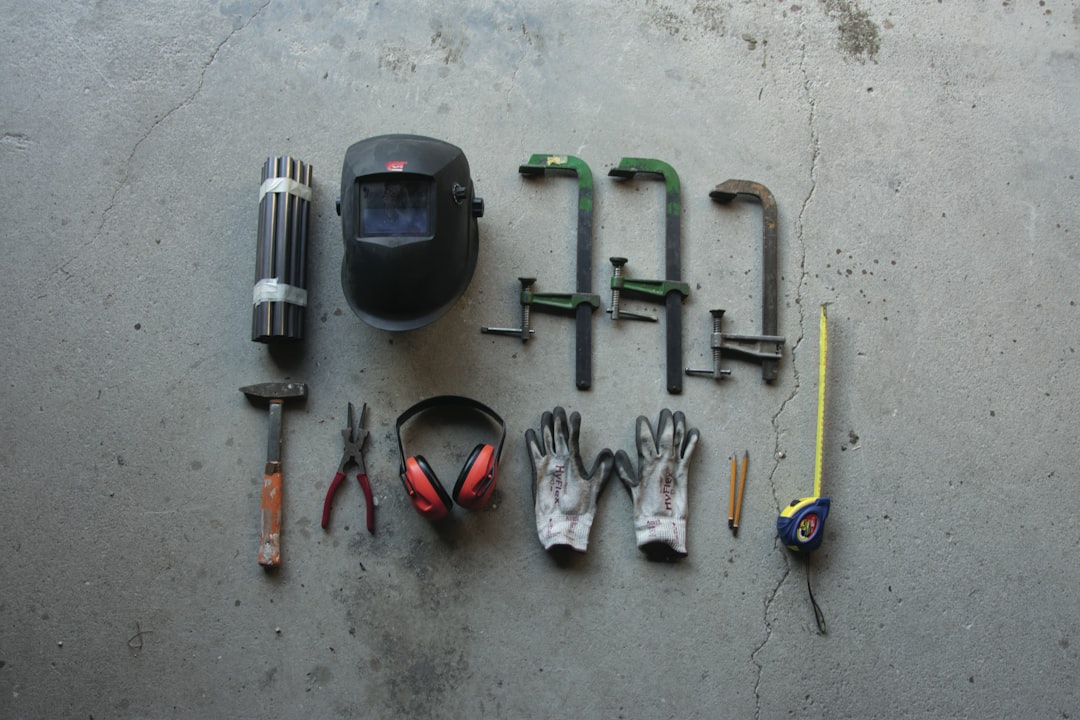
You can stockpile food, water, ammunition, and medical supplies. But unless you happen to have a trauma surgeon and a civil engineer living in your compound, knowledge is the supply most likely to run out first.
The internet holds most of what you need to know about water purification, wound closure, radio communication, and structural repair. The problem is obvious: the same events that create the need for that knowledge — hurricanes, earthquakes, grid failures, EMPs — are the same events that take the internet offline.
That is the gap a survival USB drive is designed to fill. A portable, offline knowledge base you can plug into any laptop and access without a network connection. The market for these products has expanded over the past two years, and the options now range from $0 (build it yourself) to $439 (dedicated hardware). This guide covers ten of them honestly, including the one we make.
How We Evaluated
Every product in this guide was assessed on five criteria:
- Content sourcing: Where does the information come from? Military field manuals and government publications have been tested and revised over decades. Random internet PDFs have not.
- AI capability: Can you ask a question in plain English and get a cited answer, or are you manually scrolling through folder trees?
- Price: What you pay relative to what you get.
- Portability: Size, weight, power requirements, and compatibility with available hardware.
- Ease of use: Does it work when you plug it in, or does it require Linux experience and a terminal?
We purchased or tested every commercial product listed here. For the DIY option, we followed the published build guide. Where a product has a clear strength, we say so. Where it falls short, we say that too.
Understanding the Categories
Not all offline survival tools are the same type of product. Before getting into individual reviews, it helps to understand the five categories these fall into.
PDF-Only Drives
The simplest approach. A USB drive loaded with survival documents — military manuals, first aid references, wilderness guides, sometimes video content. You plug it in and browse folders like a file explorer. No software, no AI, no search beyond your operating system's built-in file search. These are the most affordable options and the easiest to understand, but finding specific information under pressure means knowing which file to open and which page to scroll to.
AI-Powered Drives
A step up. These include a local language model (LLM) that runs on your computer without an internet connection. You ask a question — "how do I splint a fractured tibia" or "what wild plants in the Southeast are safe to eat" — and the AI returns an answer drawn from the included reference material. The quality depends on the model, the knowledge base it draws from, and whether it cites its sources so you can verify.
Hardware Devices
Standalone units built on platforms like Raspberry Pi. They run their own operating system and don't depend on your laptop. The upside is independence from your computer's specs. The downside is price, bulk, and another device to keep charged.
Apps
Mobile applications that download survival content for offline access. Convenient while your phone works. Unreliable when your phone's battery dies, which in a grid-down scenario is measured in hours, not days. Covered briefly here because they serve a different use case than USB drives.
DIY / Open Source
Build-your-own survival USB using free tools and publicly available documents. The cheapest option by far. Requires comfort with GitHub, command-line tools, and manual configuration.
PDF-Only Drives
The Omega Drive (~$50)
The Omega Drive is a USB loaded with survival documents and video content. It positions itself as a general-purpose preparedness reference.
What it includes: A collection of survival PDFs, instructional videos, and reference documents covering topics like first aid, food preservation, and self-defense. The exact document count and sourcing are not fully detailed on the product page.
Strengths: The price point is accessible. Video content is a genuine differentiator — watching someone build a debris shelter or tie a tourniquet is more useful than reading about it. For someone who wants a basic offline library without spending much, it fills that role.
Weaknesses: No AI, no intelligent search. You are browsing folder structures and opening files manually. The content sourcing is unclear — it is difficult to verify whether the included documents are authoritative military or government publications versus aggregated internet content. In a time-sensitive situation, the lack of any search capability beyond filename browsing is a real limitation.
Who it is for: Budget-conscious buyers who want a basic offline reference and are comfortable navigating files manually.
Survival USB (~$30, survivalusb.com)
Survival USB advertises 906 guides on a single thumb drive. The focus is breadth of content.
What it includes: 906 survival and preparedness guides spanning topics from food storage to medical care to homesteading.
Strengths: Sheer volume. If your primary concern is "do I have a document that covers this topic," the answer is likely yes. The price is low for the amount of content included.
Weaknesses: Volume without curation is a mixed blessing. 906 guides means 906 files to sort through, and the quality gradient is steep. Some of those guides may be well-sourced technical references. Others may be blog posts reformatted as PDFs. Without a way to assess source quality at a glance, you are trusting the curator's judgment on every file. There is no AI and no advanced search — just files in folders. When you need to find one specific piece of information across 906 documents, that is a problem.
Who it is for: People who want maximum document coverage at minimum cost and are willing to spend time learning what is in the collection before they need it.
AI-Powered Drives
DoomsDay USB (doomsdayusb.media)
DoomsDay USB is one of the more technically ambitious products in this space. It offers a Linux-bootable USB drive with an offline AI assistant and over 400 manuals.
What it includes: A bootable Linux environment, a local AI model for question-answering, 400+ manuals and reference documents, and offline Wikipedia. They also publish a free DIY build guide, which is worth noting — they are transparent enough to let you build a version yourself if you have the skills.
Strengths: The bootable Linux approach means it works even if the host computer's operating system is damaged or unavailable. The AI capability puts it in the more useful tier of products. The free DIY option shows confidence in the product — they are not relying on information asymmetry to justify the price. The document library is large.
Weaknesses: Booting from a USB into a separate Linux environment adds friction. If you just need a quick answer, rebooting your computer into a different operating system is a significant time cost. The AI quality depends on which model they are running locally and how well their retrieval pipeline works — smaller models running on limited hardware can produce confident-sounding but incorrect answers. The content library is extensive, but the sourcing for all 400+ manuals is not fully detailed.
Who it is for: Technically comfortable users who want a self-contained bootable system. The free DIY option makes this worth investigating even if you do not buy the commercial product.
Deadnet (free in closed beta, deadnet.dev)
This is our product. We will be as straightforward here as with every other entry.
What it includes: A curated knowledge base built from military and government survival sources (FM 21-76 Army Survival Manual, FEMA emergency guidelines, military first aid and field hygiene manuals, and others), indexed into 7,000+ searchable chunks and a local Llama language model for natural-language Q&A. You plug it into a laptop with 8GB+ RAM, and it runs without installation.
Strengths: Every document in the knowledge base is a published military or government source with a verifiable origin. The FM 21-76 manual alone is one of the most field-tested survival references ever written — it has been revised across decades of actual military use. The local LLM lets you ask questions like "how do I purify water using sunlight" and get an answer with source citations you can check. Currently free to accepted beta testers in exchange for feedback. It works on Mac (Apple Silicon), Windows, and Linux without installation or configuration.
Weaknesses: The curated knowledge base is smaller than competitors offering 400 or 900+ files. The trade-off is intentional — verified military and government sources rather than volume — but if your specific question falls outside the knowledge base, the AI will not have an answer. It requires a laptop with at least 8GB of RAM to run the local model, which rules out older or low-spec machines. It is not bootable — it needs a functioning operating system on the host computer.
Who it is for: People who want a plug-and-play offline survival reference with AI search, sourced exclusively from military and government publications, at a mid-range price. If you want maximum document volume, look at DoomsDay USB or Survival USB. If you want verified sourcing and AI without technical setup, this is the product we built for that purpose.
OffGrid Drive (offgriddrive.com)
OffGrid Drive markets itself as an AI survival expert on a USB drive.
What it includes: An offline AI assistant focused on survival topics, loaded onto a USB drive.
Strengths: The AI-on-a-USB concept is sound and puts it in the more useful product category. The marketing emphasizes practical survival Q&A rather than just document browsing.
Weaknesses: The specific AI model, knowledge base sourcing, and document list are not fully transparent on the product page. For a product you are trusting with potentially life-relevant information, knowing exactly where the answers come from matters. Without clear source documentation, it is difficult to assess the reliability of the AI's responses.
Who it is for: Buyers interested in the AI-powered USB concept who are comfortable with less transparency around sourcing.
PrepStick (prepstick.us)
PrepStick is an offline survival USB that combines AI, maps, and Bible content.
What it includes: A local AI assistant, offline maps, survival reference content, and religious text (Bible). The combination targets the faith-based preparedness community specifically.
Strengths: Offline maps are a genuinely useful inclusion that most competitors lack. For the audience it targets — faith-based preppers who want spiritual and practical resources in one device — the combination is logical. The AI capability puts it above PDF-only options.
Weaknesses: The inclusion of religious content alongside survival reference is either a strength or irrelevant depending on the buyer. The survival content sourcing and AI model details are not extensively documented. The maps utility depends on coverage area and level of detail.
Who it is for: Faith-based preparedness buyers who want a single device covering spiritual and practical survival needs.
Hardware Devices
Prepper Disk Premium ($249)
Prepper Disk takes a different approach: a Raspberry Pi-based device with a 512GB storage capacity.
What it includes: A Raspberry Pi computer loaded with survival documents, reference materials, and a large storage capacity for additional content. The 512GB capacity dwarfs what most USB drives offer.
Strengths: The dedicated hardware means it does not depend on your laptop's specs or operating system. 512GB is substantial — enough for a truly comprehensive offline library including video, maps, and full document archives. For someone building a fixed preparedness station (basement, bunker, community shelter), the Raspberry Pi form factor makes sense.
Weaknesses: $249 is five times the cost of a basic USB drive. The Raspberry Pi needs its own power source, display, and peripherals — it is not something you throw in a bug-out bag and use anywhere. Portability is limited compared to a USB stick. If the Pi fails, you need another Pi or the technical knowledge to extract the SD card contents. The product does not appear to include AI-powered search, which means at its core it is still a document browser — just on dedicated hardware.
Who it is for: People building a fixed-location preparedness station who want maximum storage and hardware independence, and who have $249 to spend.
SurvivalNet ($439)
SurvivalNet is the premium option in this space: a Raspberry Pi-based offline internet kit with AI capability.
What it includes: A Raspberry Pi device configured as a local network that serves offline content, potentially including AI-powered search and a curated knowledge base. It essentially recreates a small slice of the internet on a local device.
Strengths: The "offline internet" concept is the most ambitious approach here. If implemented well, it would provide the most internet-like experience of any product on this list. The AI integration (if present and functional) on dedicated hardware means it does not consume your laptop's resources.
Weaknesses: $439 is the highest price point by a wide margin. Like Prepper Disk, the Raspberry Pi needs its own power, and portability is limited. At nearly six times the cost of an AI-powered USB drive, the value proposition depends heavily on how much additional capability the hardware independence provides. For most scenarios — evacuations, power outages, travel — a USB drive you can plug into any available laptop is more practical than a dedicated device that needs its own power supply and peripherals.
Who it is for: Buyers with budget flexibility who want a dedicated offline server, likely for a fixed preparedness location or community use.
Apps
HAVEN (havensurvival.com)
HAVEN is an offline AI survival app for mobile devices.
What it includes: A mobile application with AI-powered survival Q&A designed to work offline after initial download.
Strengths: It lives on the device you already carry. No additional hardware. The AI-powered approach puts it above static survival apps. If your phone is working, this is the most accessible format.
Weaknesses: Phone dependency is the fundamental limitation. In a grid-down scenario, your phone battery becomes a countdown timer. Most smartphones last 12-24 hours without charging under normal use, less if you are actively using them for reference. Phones are also fragile — one drop on concrete and your survival reference is gone. The app must be downloaded and configured while you still have internet service, which requires advance preparation. The quality of the AI and its knowledge base sourcing would need to be verified.
Who it is for: People who want a supplemental survival reference on their phone, with the understanding that it is not a primary or long-term solution. Pairs well with a USB-based backup.
DIY / Open Source
Free DIY Build (GitHub: AI-Survival-USB, ~$15)
The open-source community has published free guides for building your own AI survival USB drive from scratch. The most notable is the AI-Survival-USB project on GitHub, which provides step-by-step instructions for assembling a USB drive with a local LLM and survival documents for roughly the cost of the USB drive itself.
What it includes: Instructions for downloading and configuring a local AI model, sourcing public-domain survival documents, and assembling everything onto a USB drive. Total hardware cost is approximately $15 for the USB drive.
Strengths: Free, minus the cost of a USB stick. Fully customizable — you choose the AI model, the documents, and the configuration. You learn exactly how the system works, which means you can troubleshoot and modify it. For technically skilled users, this is arguably the best option because you control every component. The existence of this option also serves as a useful benchmark: any commercial product should offer clear value above what you can build for free.
Weaknesses: Requires comfort with Git, command-line interfaces, Python environments, and model configuration. The published guides assume familiarity with package managers, virtual environments, and hardware compatibility. If something breaks during setup or use, you are your own tech support. The document collection is whatever you curate yourself — this means sourcing, verifying, and organizing the reference material is on you. The AI model performance depends on your hardware and the model you choose, with no pre-optimized configuration. Setup time is measured in hours, not minutes.
Who it is for: Technical users — software developers, IT professionals, Linux enthusiasts — who enjoy building tools and want full control. If you are comfortable in a terminal and have a free afternoon, this is a legitimate option. If the phrase "create a Python virtual environment" means nothing to you, this is not your path.
The honest framing: Deadnet and similar commercial products are, at their core, pre-built and pre-configured versions of what this DIY guide teaches you to build. The value proposition of any commercial survival USB over the DIY option is convenience, curation, and support. If you have the skills and time, build your own. If you want it to work when you plug it in without configuring anything, that is what the commercial options are for.
Comparison Matrix
Here is a direct feature comparison across all ten products. The features listed are the ones that matter in an actual emergency, not marketing bullet points.
Content Library
| Product | Document Count | Source Quality | Includes Wikipedia |
|---|---|---|---|
| Omega Drive | Unclear | Unverified | No |
| Survival USB | 906 guides | Mixed | No |
| DoomsDay USB | 400+ manuals | Mixed | Yes |
| Deadnet | 7,000+ indexed chunks | Military/Government verified | No |
| OffGrid Drive | Unclear | Unclear | Unclear |
| PrepStick | Unclear | Unclear | Unclear |
| Prepper Disk | Large collection | Mixed | Unclear |
| SurvivalNet | Unclear | Unclear | Unclear |
| HAVEN | App-based | Unclear | No |
| DIY Build | You decide | You decide | You decide |
AI and Search
| Product | Local AI | Natural Language Q&A | Source Citations |
|---|---|---|---|
| Omega Drive | No | No | No |
| Survival USB | No | No | No |
| DoomsDay USB | Yes | Yes | Unclear |
| Deadnet | Yes (Llama) | Yes | Yes |
| OffGrid Drive | Yes | Yes | Unclear |
| PrepStick | Yes | Yes | Unclear |
| Prepper Disk | No | No | No |
| SurvivalNet | Unclear | Unclear | Unclear |
| HAVEN | Yes | Yes | Unclear |
| DIY Build | Yes (configurable) | Yes | Configurable |
Pricing and Portability
| Product | Price | Form Factor | Requires Laptop |
|---|---|---|---|
| Omega Drive | ~$50 | USB drive | Yes |
| Survival USB | ~$30 | USB drive | Yes |
| DoomsDay USB | Varies (free DIY available) | Bootable USB drive | Yes |
| Deadnet | Free (closed beta) | USB drive | Yes (8GB+ RAM) |
| OffGrid Drive | Varies | USB drive | Yes |
| PrepStick | Varies | USB drive | Yes |
| Prepper Disk | $249 | Raspberry Pi | No (self-contained) |
| SurvivalNet | $439 | Raspberry Pi kit | No (self-contained) |
| HAVEN | Free/Varies | Mobile app | No (phone-based) |
| DIY Build | ~$15 | USB drive | Yes |
Who Should Buy What
Different people have different needs. Here are direct recommendations based on common situations.
You want the cheapest functional option and you are technical
Build your own using the AI-Survival-USB guide on GitHub. Total cost: approximately $15 plus your time. You will learn exactly how the system works, and you can customize it to your specific region and needs.
You want a basic offline document library on a budget
The Omega Drive ($50) or Survival USB ($30) will give you a collection of files on a thumb drive. Set expectations appropriately — you are getting a folder of PDFs, not a searchable knowledge base. Spend time before an emergency familiarizing yourself with the file structure so you can find things quickly when it matters.
You want AI-powered Q&A without technical setup
This is where Deadnet (currently free in closed beta) and DoomsDay USB compete directly. Deadnet's differentiator is verified military/government sourcing and plug-and-play simplicity. DoomsDay USB offers a larger document library and a bootable Linux environment. If source verification matters most to you, Deadnet. If document volume and OS independence matter more, DoomsDay USB. Both are reasonable choices.
You want offline maps with your survival reference
PrepStick is the only product here that explicitly includes offline maps. If maps are a priority — and for evacuation scenarios, they should be — this is worth investigating. Consider pairing it with a separate emergency communication plan that does not depend on cell service.
You are building a fixed preparedness station
Prepper Disk ($249) or SurvivalNet ($439) make more sense for a basement, shelter, or community preparedness room where portability is not the priority. The dedicated hardware means the system works independently of available laptops.
You want something on your phone as a supplement
HAVEN fills this role. Just understand the limitations: your phone battery is finite, your phone is fragile, and this should be a backup, not a primary resource.
You are putting together a complete bug-out setup
Pair a USB-based solution (your choice from the options above based on budget and priorities) with a physical first aid kit, a printed pocket survival reference, and a hand-crank or solar USB charger. No single product covers everything. The USB drive handles the knowledge layer. Physical supplies handle the action layer. A well-packed bug-out bag brings it all together.
Final Notes
A few things worth stating directly.
No offline survival tool replaces actual training. A USB drive can tell you how to perform a needle decompression for a tension pneumothorax. It cannot give you the steadiness of hand or the decision-making under pressure that training provides. Take a CERT course. Get wilderness first aid certified. Practice the skills while conditions are calm.
Source verification matters more than document count. A single verified military field manual that has been revised across decades of field use is more reliable than fifty unattributed PDFs scraped from survival blogs. When evaluating any product on this list, ask where the information comes from. If the answer is not clear, that is a problem.
Test your gear before you need it. Whichever product you choose, plug it in, run it, ask it questions, and verify that it works on your specific hardware. Do this on a Tuesday afternoon, not during a hurricane. The same applies to every other item in your preparedness kit.
The best offline survival tool is the one you have, you have tested, and you know how to use. Everything else is a purchase, not preparation.
Get offline access to expert survival knowledge
Military and government survival sources. Local AI. No internet required.